> ## Documentation Index
> Fetch the complete documentation index at: https://docs.magicfox.co/llms.txt
> Use this file to discover all available pages before exploring further.
# How to assign screen controls in MainStage
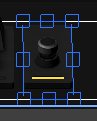
A MainStage concert starts as a blank canvas. To this, we add **screen controls** such as buttons, pedals, meters, parameters, and keyboards to the workspace. Screen controls can be assigned to respond to a specific MIDI message and mapped to perform a specific action. For example, a sustain pedal screen control is typically assigned to receive the sustain MIDI message and then mapped to the sustain function.
In many cases, the only difference between screen control types is their visual appearance. For example, the Foot Switch and Button controls look different visually but can be configured to behave identically.
Our programming is intentionally configured so that you may not need to make any modifications at all. Depending on how your keyboard is set up and configured, you may need to assign some screen controls to respond to their physical counterparts.
Before you start, confirm that [MainStage is receiving MIDI input](/troubleshooting/confirm-midi-input).
Choose `View > Layout` or press `Command + 1`.
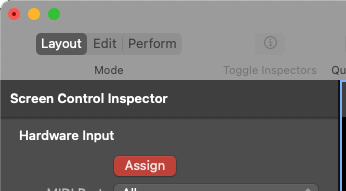
 The Screen Control Inspector on the left side of the window includes many useful settings for the selected screen control. The "Hardware Input" settings allow you to specify how the selected screen control responds to your hardware.
 If you're trying to assign a pedal, use the pedal. If you're trying to assign a keyboard, play a key on the keyboard.
The **Type** and **Number** parameter will update automatically as MainStage receives the MIDI message.
The Type for a foot switch should be "Press / Release". The number will likely be "66 (Sostenuto)" or "67 (Soft Pedal)" but this can vary depending on your keyboard's MIDI settings.
If you're assigning a screen control to a key on the keyboard (e.g., Panic, Previous Patch, Top of Show), the Type will be "Note On/Off".
The Type for a continuous control expression pedal will be "absolute". The number can vary depending on your keyboard's MIDI settings, but is often "11 (Expression)".
Don't forget to save the MainStage concert file so the assignment is retained when you open the concert again later.
If you're using a Roland keyboard and trying to assign a foot switch to change patches, MainStage may be advancing multiple patches every time you press the pedal. [Follow these instructions](/troubleshooting/advancing-multiple-patches-on-roland-keyboard) to fix it.
## Read more
* [What pedals do I need for MainStage?](/articles/pedals-for-mainstage)
*
* [How do I change patches in MainStage?](/basics/changing-patches)
*
* [My sustain pedal works in reverse](/troubleshooting/sustain-pedal-is-backwards)
*
* [How to confirm MIDI input in MainStage](/troubleshooting/confirm-midi-input)
If you're trying to assign a pedal, use the pedal. If you're trying to assign a keyboard, play a key on the keyboard.
The **Type** and **Number** parameter will update automatically as MainStage receives the MIDI message.
The Type for a foot switch should be "Press / Release". The number will likely be "66 (Sostenuto)" or "67 (Soft Pedal)" but this can vary depending on your keyboard's MIDI settings.
If you're assigning a screen control to a key on the keyboard (e.g., Panic, Previous Patch, Top of Show), the Type will be "Note On/Off".
The Type for a continuous control expression pedal will be "absolute". The number can vary depending on your keyboard's MIDI settings, but is often "11 (Expression)".
Don't forget to save the MainStage concert file so the assignment is retained when you open the concert again later.
If you're using a Roland keyboard and trying to assign a foot switch to change patches, MainStage may be advancing multiple patches every time you press the pedal. [Follow these instructions](/troubleshooting/advancing-multiple-patches-on-roland-keyboard) to fix it.
## Read more
* [What pedals do I need for MainStage?](/articles/pedals-for-mainstage)
*
* [How do I change patches in MainStage?](/basics/changing-patches)
*
* [My sustain pedal works in reverse](/troubleshooting/sustain-pedal-is-backwards)
*
* [How to confirm MIDI input in MainStage](/troubleshooting/confirm-midi-input)